Introducing QuiverAI MCP: SVG generation for agent workflows
Today we’re introducing QuiverAI MCP, a hosted MCP server that brings QuiverAI’s structured SVG generation into agent workflows.
QuiverAI MCP gives agents a secure way to create SVGs, vectorize images, inspect previous creations, poll task status, and fetch completed artwork through a hosted connection.
It is designed for MCP-compatible clients, so teams can bring QuiverAI into the AI environments where they already write code, explore ideas, and build products.
What is MCP?
MCP, or Model Context Protocol, is a standard for connecting AI agents to external tools and services.
Instead of every product building a custom integration for every AI client, MCP gives agents a common way to discover tools, call them, and work with context from the services teams already use.
For QuiverAI, MCP means structured SVG generation can become part of an agent’s workflow. The agent can ask QuiverAI what models are available, create an asset, track the generation task, and retrieve the finished SVG when it is ready.
The result is an editable SVG that can move into a codebase, design system, website, prototype, documentation page, or broader creative pipeline.
What you can do with QuiverAI MCP
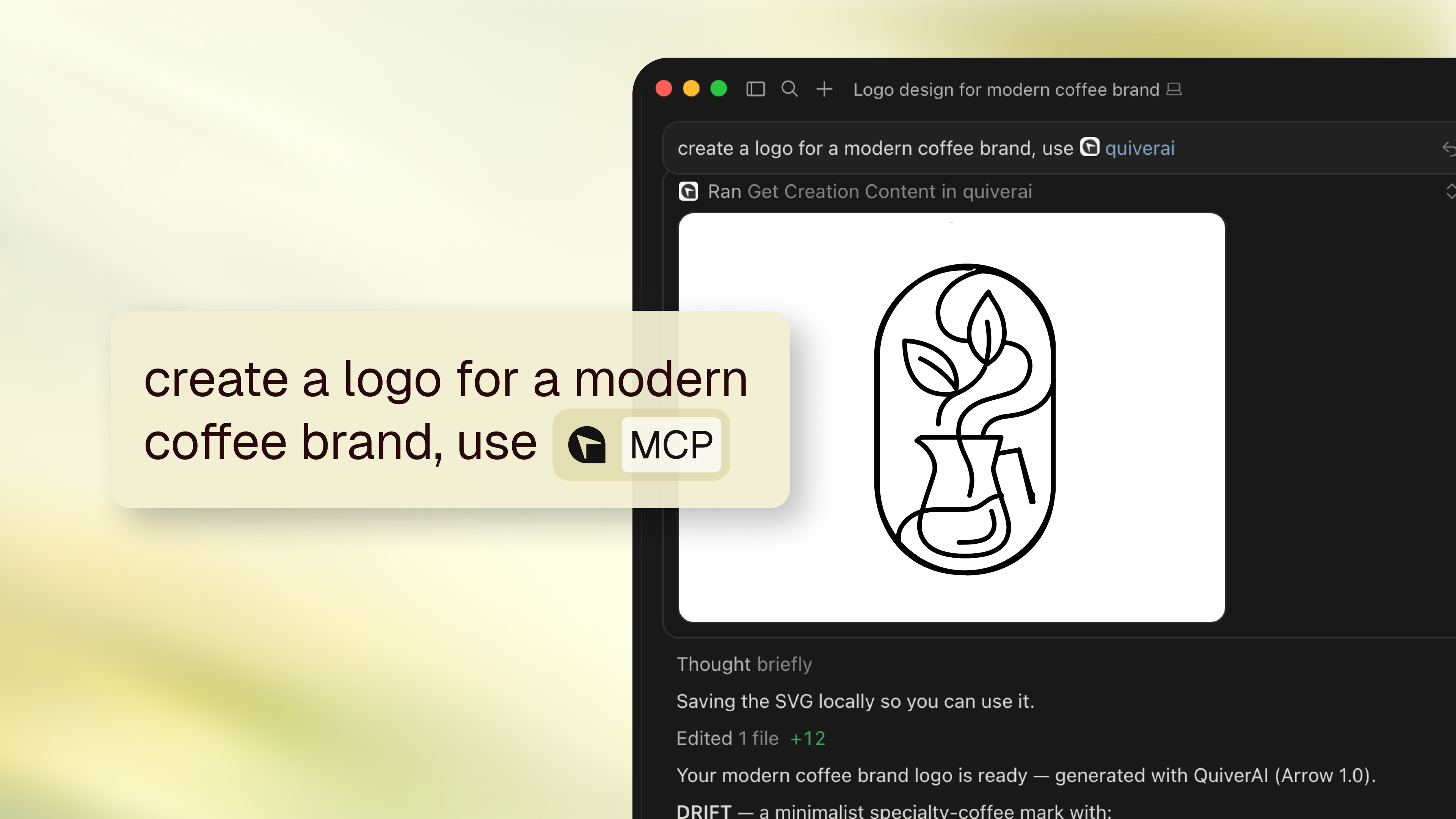
With QuiverAI MCP enabled, agents can:
- Generate SVG assets from prompts: Create logos, icons, wordmarks, illustrations, patterns, and brand assets directly from chat. This is useful when teams need visual directions quickly while staying inside their product or development workflow.
- Use references to guide visual direction: Provide a reference image and ask the agent to preserve style, layout, color, typography, or composition while exploring new variations. This helps teams keep outputs aligned with an existing brand or visual system.
- Vectorize raster images: Turn sketches, PNGs, rough concepts, and raster assets into clean SVGs. This is useful for moving early ideas or image-based concepts into an editable vector workflow.
- Animate existing SVGs: Start animation tasks from an existing QuiverAI creation or an SVG source, then poll the task and retrieve the finished animated SVG.
- Create assets inside a codebase: Ask an agent to generate an icon, illustration, or interface asset and place the final SVG into a project. Developers can move from asset request to implementation without switching tools.
- Build repeatable creative pipelines: Generate onboarding illustrations, documentation visuals, landing page graphics, or small icon sets as part of a larger agent workflow. QuiverAI becomes one step in a process that can be repeated and refined.
- Browse and reuse previous creations: Agents can list earlier QuiverAI creations, find the right asset, and retrieve the final SVG content when needed. This makes it easier to reuse work across projects instead of starting from scratch.
Why we made QuiverAI MCP
QuiverAI is built around structured vector generation. Instead of producing flat images, it creates SVGs that stay editable, scalable, and ready for real product and design workflows.
That matters even more when agents are involved.
An agent should be able to do more than describe an asset or pass around a screenshot. It should be able to create a usable vector, track the result, retrieve the final SVG, and help move it into the next step of the work.
MCP gives us a standard way to expose that creation loop to agent environments. It lets QuiverAI work with MCP-compatible clients through a hosted endpoint, while authentication happens through the client’s MCP login flow using the connected QuiverAI account and permissions.
The hosted server exposes the core QuiverAI workflow: model discovery, creation lookup, task polling, text-to-SVG generation, raster-to-SVG vectorization, and SVG content retrieval.
As MCP support expands across agent tools, the same QuiverAI MCP endpoint can support more ways for teams to bring structured vector generation into their workflows.
Get started
QuiverAI MCP is available in beta through the hosted endpoint: https://app.quiver.ai/mcp.
Read the MCP setup docs at docs.quiver.ai/app/mcp.
You can connect it from an MCP-compatible client that supports remote MCP servers and OAuth login. Once connected, your agent can list models, generate SVGs, vectorize images, poll tasks, browse previous creations, and retrieve final SVG content from your QuiverAI account.
Connect with Cursor
QuiverAI is available as a Cursor plugin. Install QuiverAI from the Cursor Marketplace.
Or open the agent panel and run /add-plugin QuiverAI.
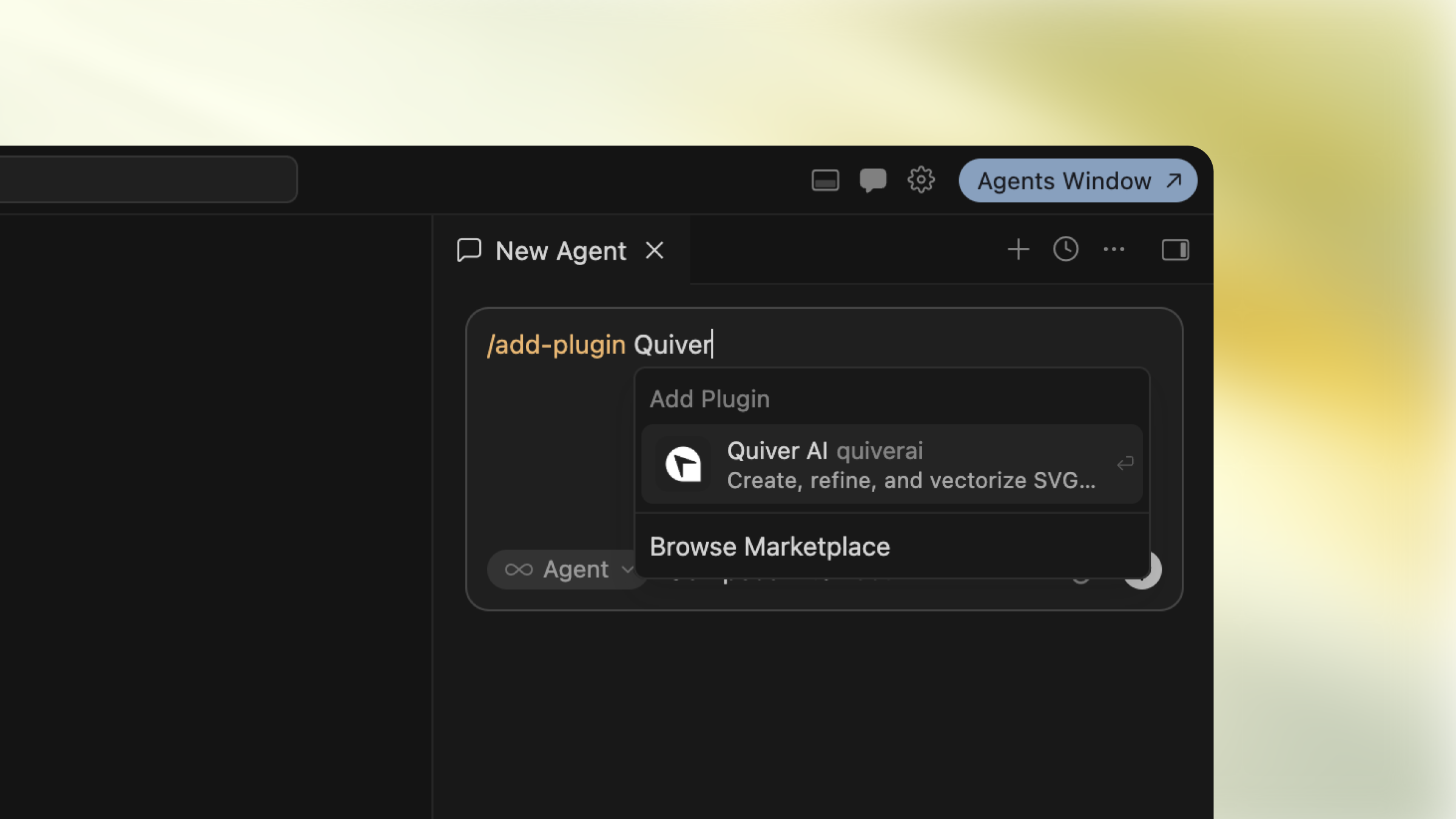
The plugin registers the hosted QuiverAI MCP server for SVG generation workflows. Sign in through Cursor’s MCP login flow when prompted, then ask your agent to list QuiverAI models or generate an SVG.
This is an early step toward making structured vector generation available wherever teams build, design, and ship.