Introducing Arrow 1.1, a step forward in SVG generation
Arrow started with a simple idea: vectors should be intentionally generated through code, not approximated from pixels.
By working this way, the model generates graphics like a designer would, making deliberate choices around control points, color, and gradients instead of optimizing for pixel-perfect similarity.
Today, we’re introducing Arrow 1.1, the next step in that direction, with improvements in efficiency, output quality, and how structure, detail, and visual decisions are handled.
Advancements in Arrow 1.1
Building on Arrow 1.0’s foundation, Arrow 1.1 delivers significantly enhanced performance across the entire pipeline, with improvements in design and aesthetic quality, prompt and instruction following, and overall SVG precision, especially in finer details.
Vector generation quality remains consistently high, with precise alignment, minimal visual artifacts, and stronger coherence across elements. These improvements are visible in designs with tighter spacing, repeated elements, and higher levels of detail.
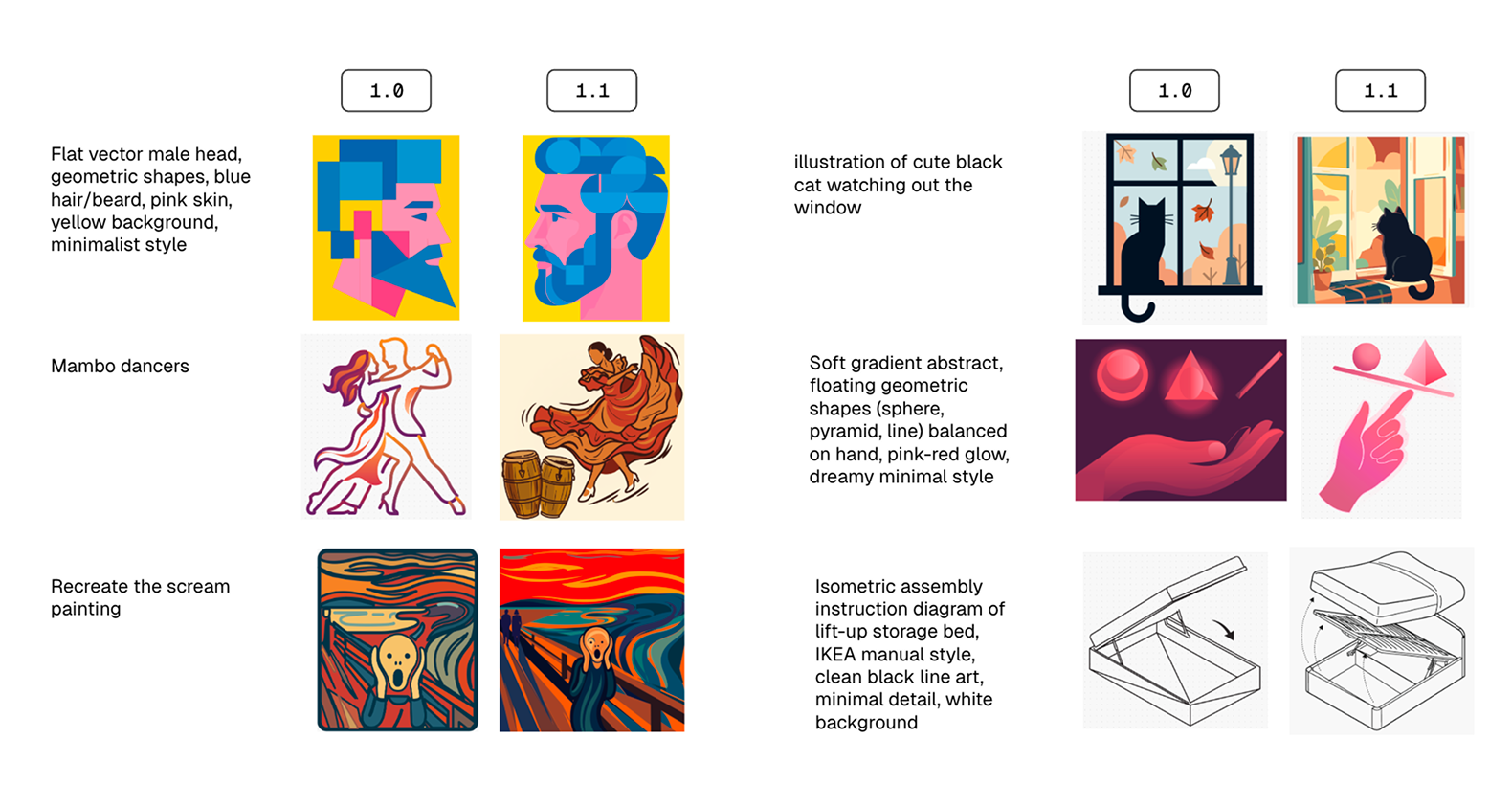
Comparison of Arrow 1.0 and 1.1 across different prompts, showing improvements in structure, detail, and overall visual quality.
A shift is also visible in how SVGs are constructed. Greater use of primitives such as shapes, text, and basic geometry is observed, with reduced over-reliance on paths. This results in SVGs that are easier to edit, inspect, and extend.
On the generative side, outputs follow prompts more closely. Layout decisions are balanced, and color usage appears more intentional. Even with minimal input, results tend to require less correction before refinement.
Improved cost efficiency and scaling
With Arrow 1.1, cost efficiency takes a clear step forward. Text-to-SVG generation costs are reduced by 33.3%, and vectorization by 50%, making it more scalable for production workflows.
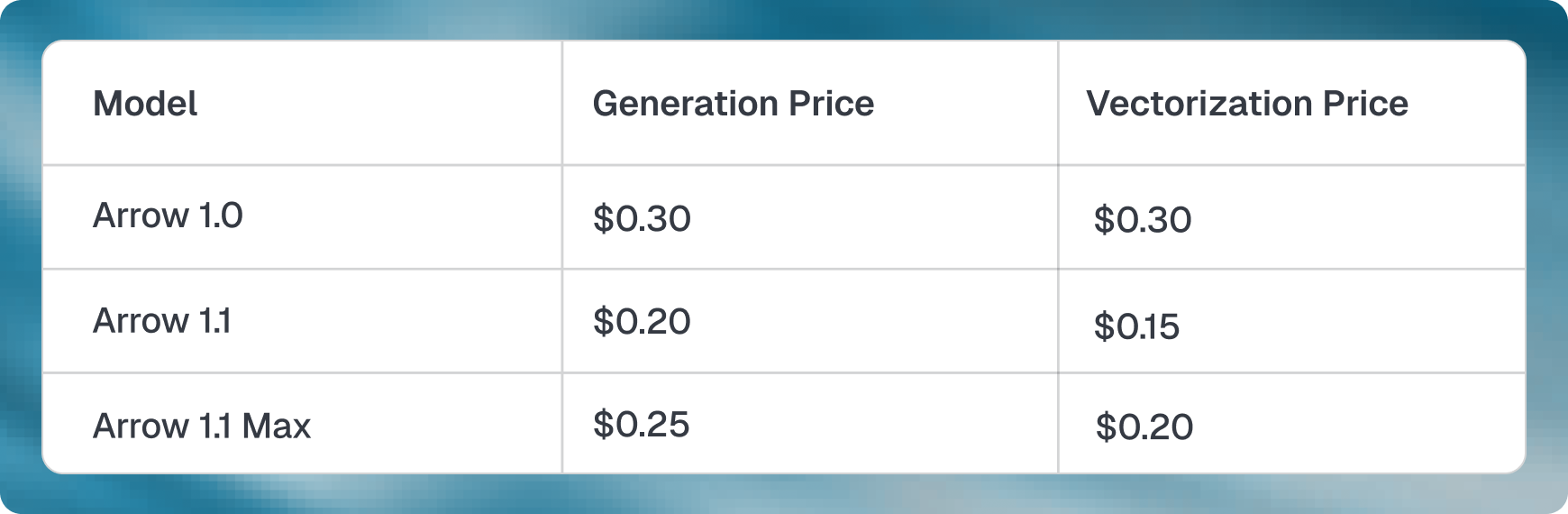
Cost comparison across Arrow 1.0, 1.1, and 1.1 Max, highlighting substantial reductions across core use cases.
This is especially relevant for teams generating large volumes of assets, such as icon sets, logo variations, marketing visuals, or batch vectorization of existing designs.
Lower costs make it easier to iterate on multiple directions, test variations, and integrate generation into everyday design and development pipelines.
For cases where higher output quality is required, Arrow 1.1 Max extends these improvements, making it suitable for detailed assets such as technical diagrams and illustrations where precision is critical.
Arrow 1.1 Max
Arrow 1.1 Max is designed for cases where output quality is prioritized. It builds on the same core model, with more attention given to how SVGs are constructed.
Color is preserved accurately, shapes are aligned with higher precision, and visible artifacts are reduced. Generated outputs follow the intended composition closely and remain stable with more detailed inputs.
These improvements are most visible in detailed illustrations, where small inconsistencies require manual correction.
The tradeoff is higher runtime and cost, in exchange for more precise and consistent outputs.
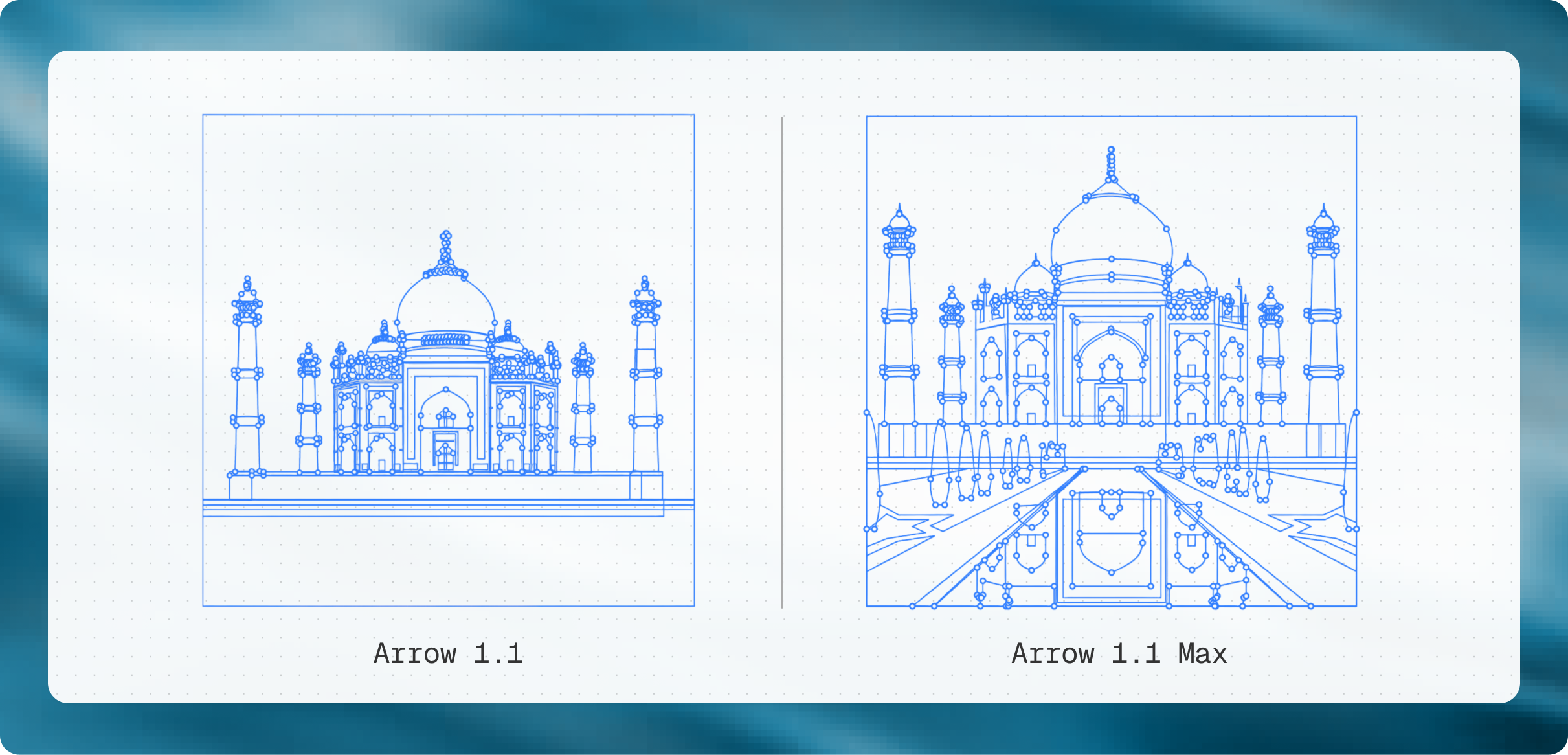
A side-by-side comparison of Arrow 1.1 and 1.1 Max, illustrating differences in level of detail, control points, and geometric accuracy.
Comparing models across common use cases
Differences between Arrow models are more visible in real workflows. As models progress from Arrow 1.0 to 1.1 and 1.1 Max, outputs move closer to structured SVGs that can be used directly, followed by light cleanup and iteration.
Logos
Logo design depends on spacing, alignment, and consistent geometry. Arrow 1.1 produces logos where symbols and text are positioned with better alignment, supported by cleaner paths and more precise control points.
Adjustments such as spacing, scaling, or typography changes become predictable. Color and layout decisions are resolved at generation time, reducing rework.
Arrow 1.1 Max increases precision further. Spacing is tighter, alignment is more exact, and geometric inconsistencies are reduced, which is important in wordmarks and symmetrical designs.
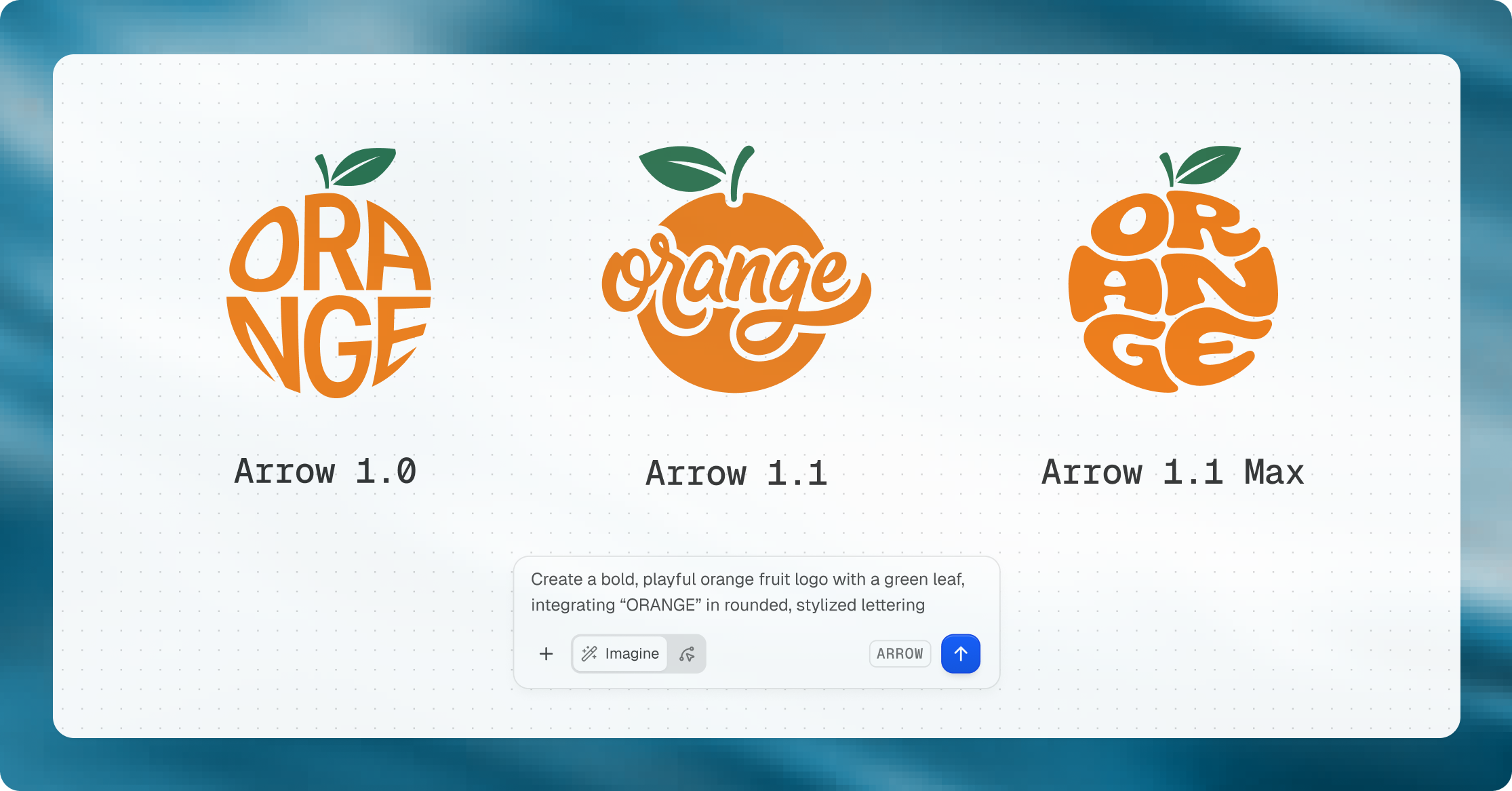
Comparison of outputs from the same logo prompt, showing how geometry and detailing evolve across models.
Illustrations
Illustrations require multiple elements to work together within a single frame. Arrow 1.1 produces compositions where elements maintain position and hierarchy, leading to clearer separation between layers and a more stable layout.
Color usage and gradients are handled with control, resulting in smoother transitions and fewer inconsistencies across the image. Structure is preserved across the full composition in Arrow 1.1 Max, with stable details and consistent relationships between elements.
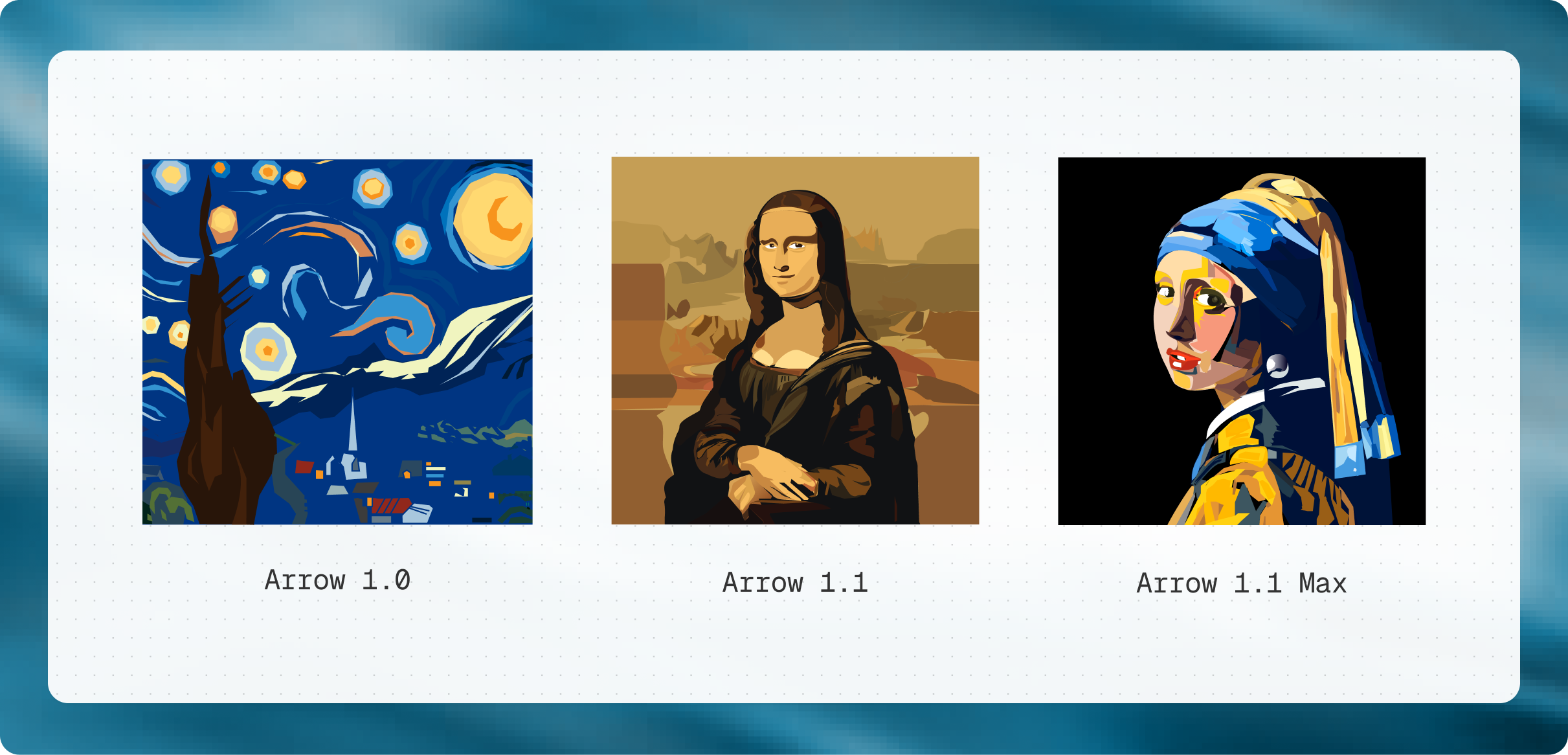
Generated versions of famous paintings using Arrow 1.0, 1.1, and 1.1 Max, illustrating differences in detail, color handling, and structural clarity as model quality increases.
Technical drawings
Technical drawings demand accuracy and structure. Arrow 1.1 improves alignment, maintains consistent line weights, and ensures clearer component placement.
Details are more precisely defined, while SVGs use simpler primitives and cleaner paths with fewer control points, making them easier to edit and extend.
Fashion design
Vector drawings are especially useful in fashion design. Technical flats and garment sketches depend on clean outlines, consistent proportions, and precise placement of seams, panels, and stitching.
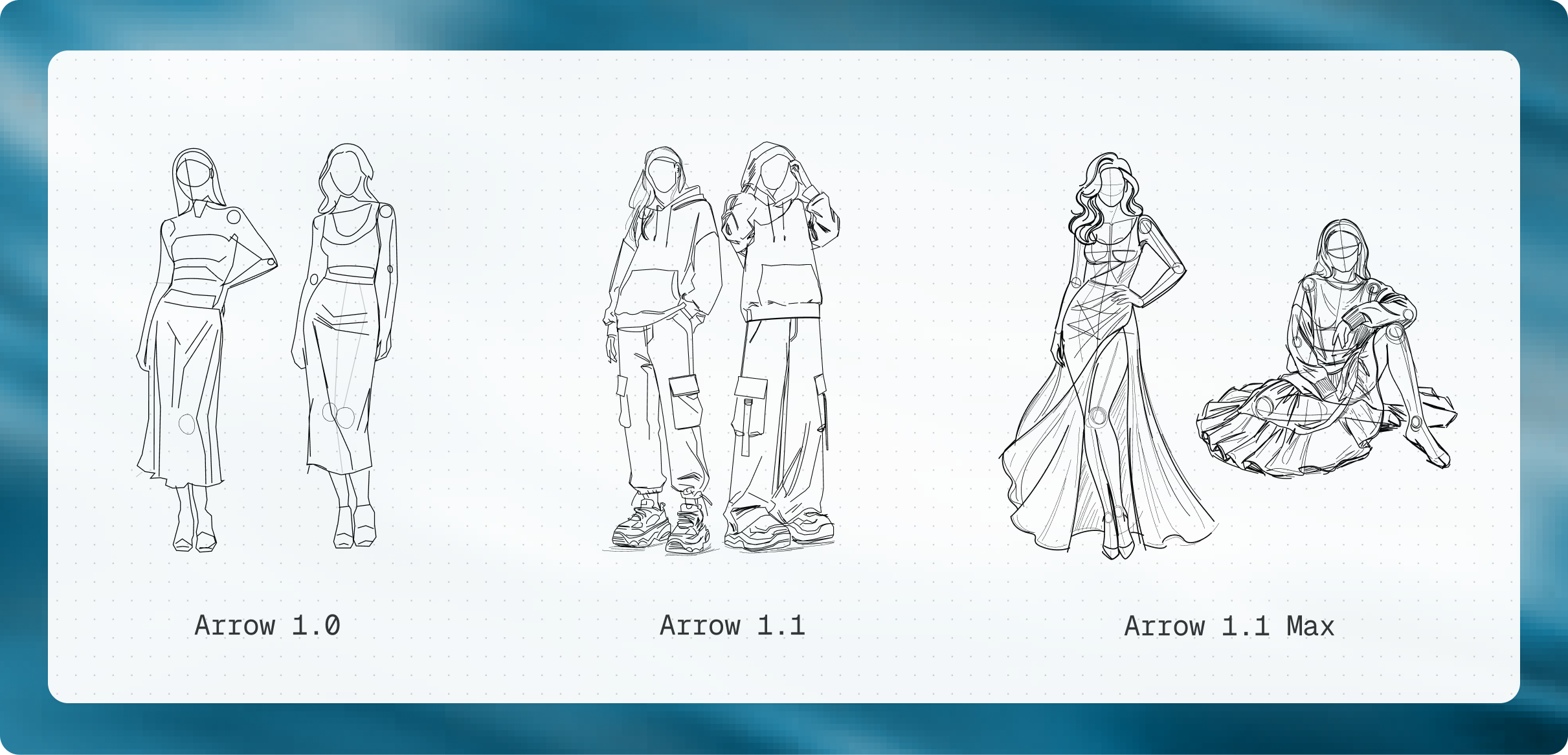
A comparison of fashion design sketches across Arrow 1.0, 1.1, and 1.1 Max, showing progressive gains in detailing, line quality, and geometric accuracy.
Arrow 1.1 produces structured drawings that make it easier to explore variations and refine construction details without starting over. Moving from early concepts to production-ready flats becomes faster, with outputs that stay clean and editable.
Arrow 1.1 Max performs better on more detailed garments, where multiple layers and finer construction lines need to stay consistent.
Arrow 1.1 vectorizes fashion design sketches into clean, editable SVGs in seconds.
Engineering
In engineering workflows, the expectations are even higher. Diagrams often involve internal components, mechanical relationships, and tightly aligned elements that need to be accurate.
Arrow 1.1 improves placement, line clarity, and structural consistency, making outputs more reliable for early-stage design and documentation.
Arrow 1.1 Max is better suited for more complex assemblies, where dense layouts and smaller details require higher precision and stability.
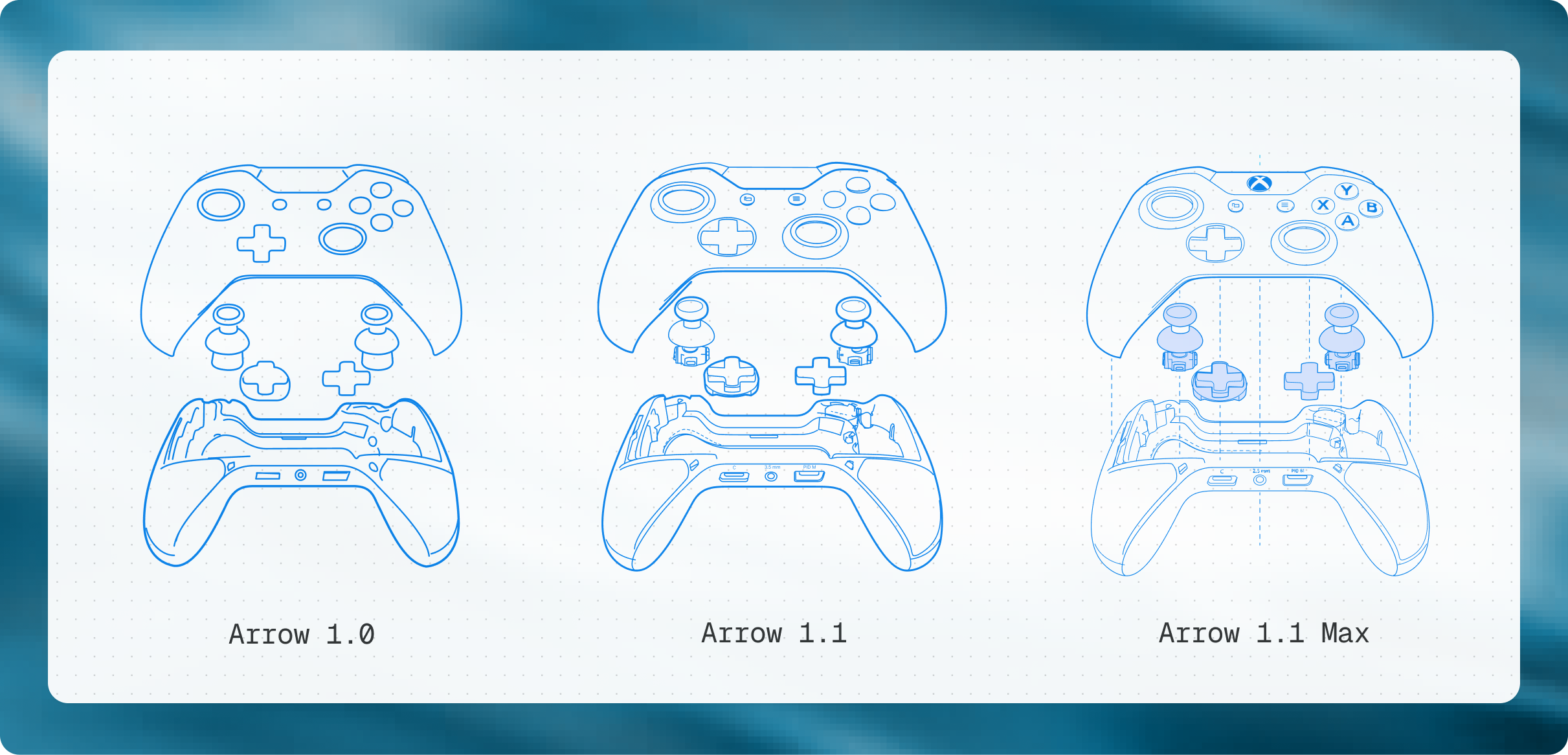
A side-by-side progression of Xbox controller designs, where Arrow 1.0, 1.1, and 1.1 Max show increasing SVG detail through more refined paths, smoother curves, and accuracy.
Iconography
Icon systems require consistency across a set.
Arrow 1.1 produces icons with stable proportions, even spacing, and consistent stroke behavior, allowing them to function as a cohesive system. Shapes are more clearly defined, supporting scaling across sizes and different contexts.
Arrow 1.1 Max refines edge precision and internal spacing further, improving clarity at smaller sizes.
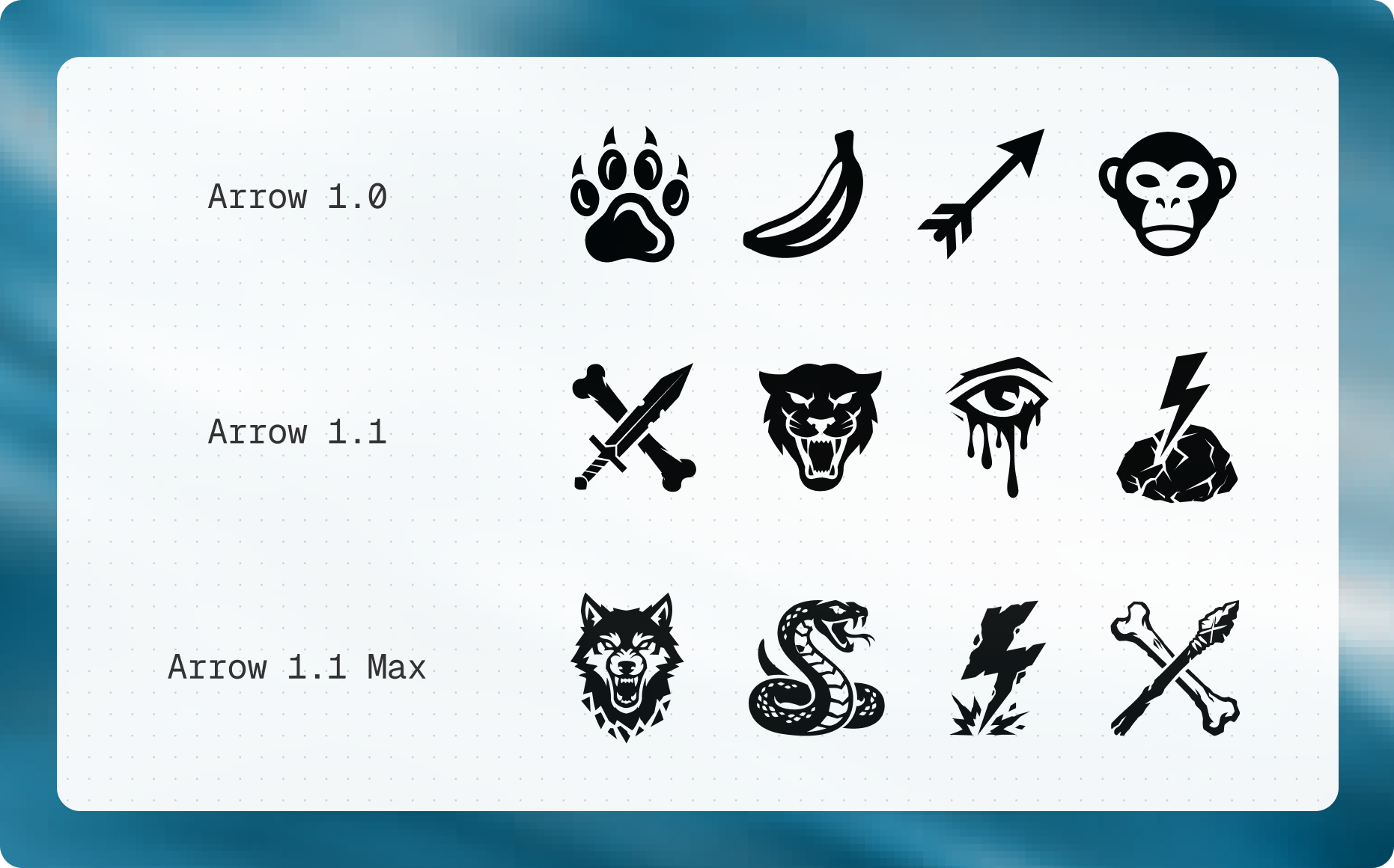
Outputs from Arrow 1.0, 1.1, and 1.1 Max for the same icon style, showcasing how each version increases the level of detailing and clarity.
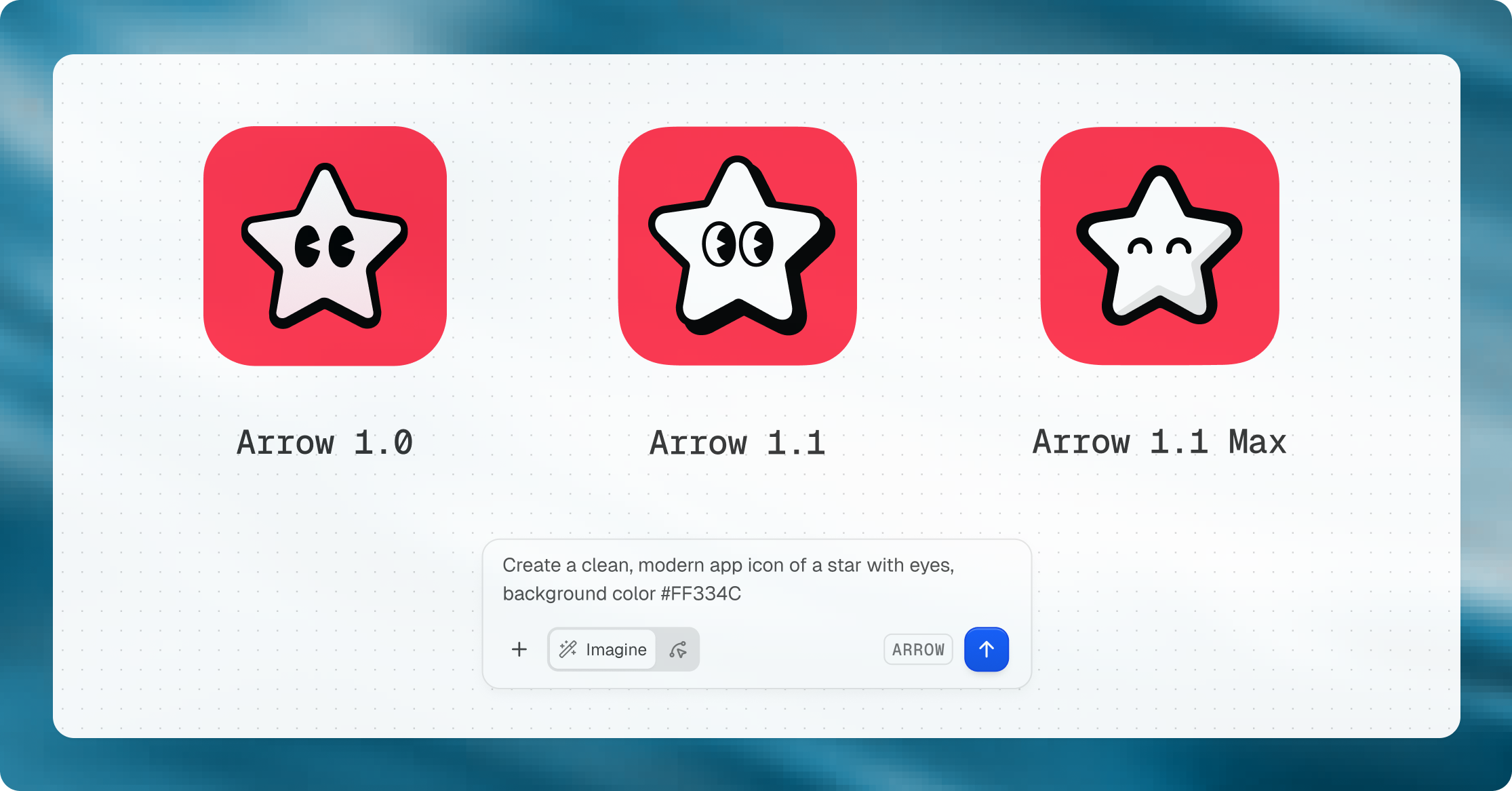
Comparison of outputs from the same prompt, showing how geometry and detailing evolve across models. Arrow 1.1 Max achieves the highest consistency and the most refined result.
Looking ahead
Vector graphics become more challenging and increasingly compelling as their complexity grows. Generating longer, highly detailed SVGs while keeping them clean, structured, and fully editable remains an open problem.
This is where QuiverAI is focused. We are continuing to invest in structured, programmable visuals and advancing how generative systems produce design assets that are accurate, reliable, and ready for real-world use.
With each step forward in capability, new possibilities and use cases will emerge.
Try Arrow 1.1 today at app.quiver.ai.