From fashion sketch to editable vector with Arrow
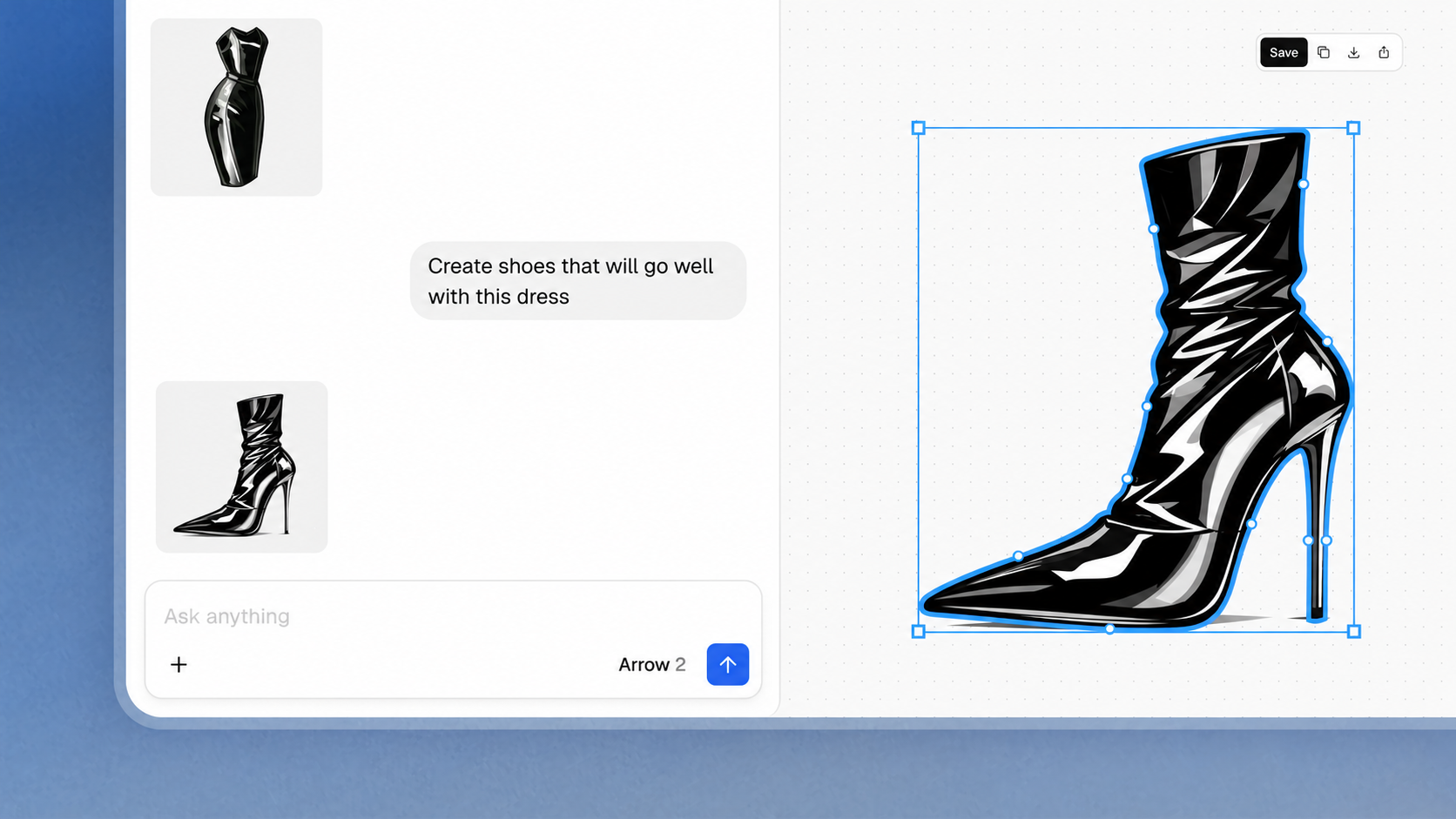
In nineteenth-century magazines, fashion plates showed a garment’s shape and details before photography became the usual way to share a collection. Sketches still help designers make those choices visible. A technical flat makes them easier to discuss with a team. Vector illustration makes the lines editable as the design changes.
That is a practical role for Arrow 2. Start with an existing line sketch, turn it into an SVG, and inspect the result against the drawing. Check the silhouette, closure, seams, and stitching; then adjust the paths in QuiverAI, Figma, or Illustrator. Make the Dot documents this sketch-to-SVG workflow for technical flats and hand-drawn silhouettes. The designer still decides which lines belong in the final drawing.
Because the file remains editable, a revised pocket or collar can be adjusted at its paths. Keep the source sketch nearby so the next reviewer can compare the intended line with the current version.
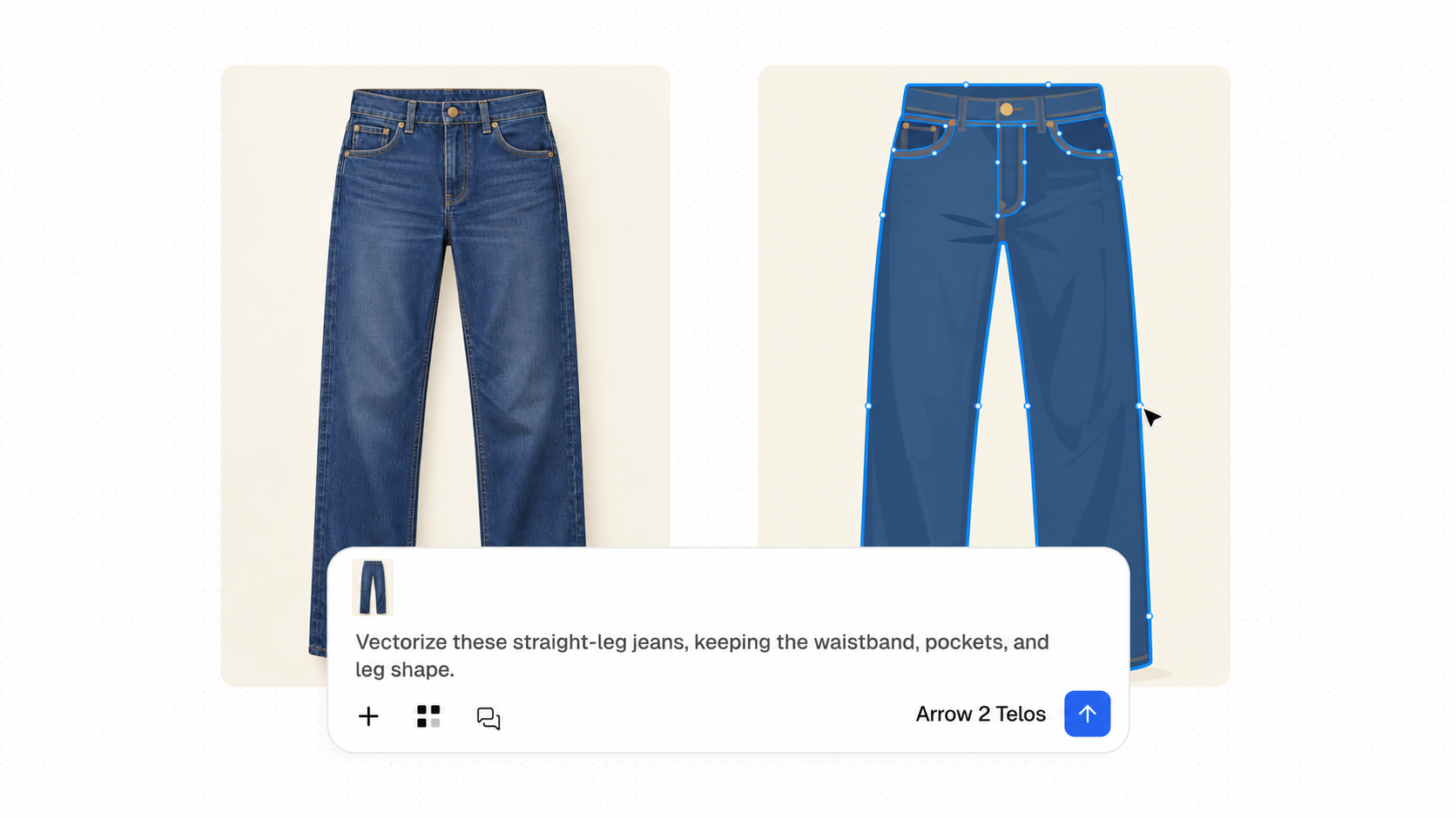
Sometimes the starting point is a garment photograph instead. Arrow can interpret what is visible as a new vector sketch, as in these jeans. The waistband, pockets, and leg shape become editable, while hidden seams and construction details still need checking against the garment. The screenshots show example prompts alongside the artwork.
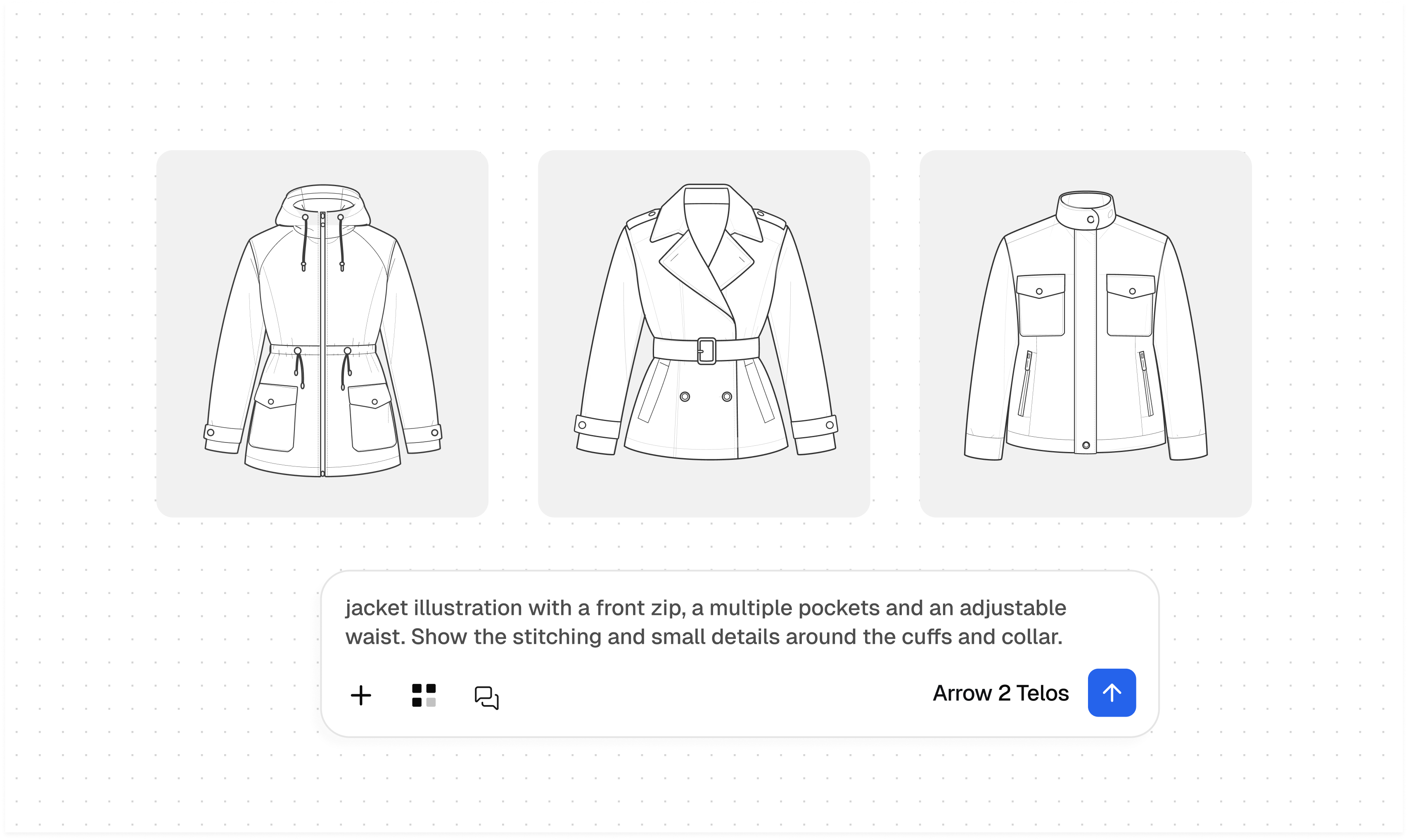
Once there is a drawing to work with, a brief can push it in several directions. A jacket study might compare collars, closures, pockets, and waist shapes before the team chooses one to refine. These examples make the design decisions easier to see and discuss. Choosing a direction gives the next edit a clear target: keep the strongest silhouette, then specify which details from the other options are worth carrying forward.
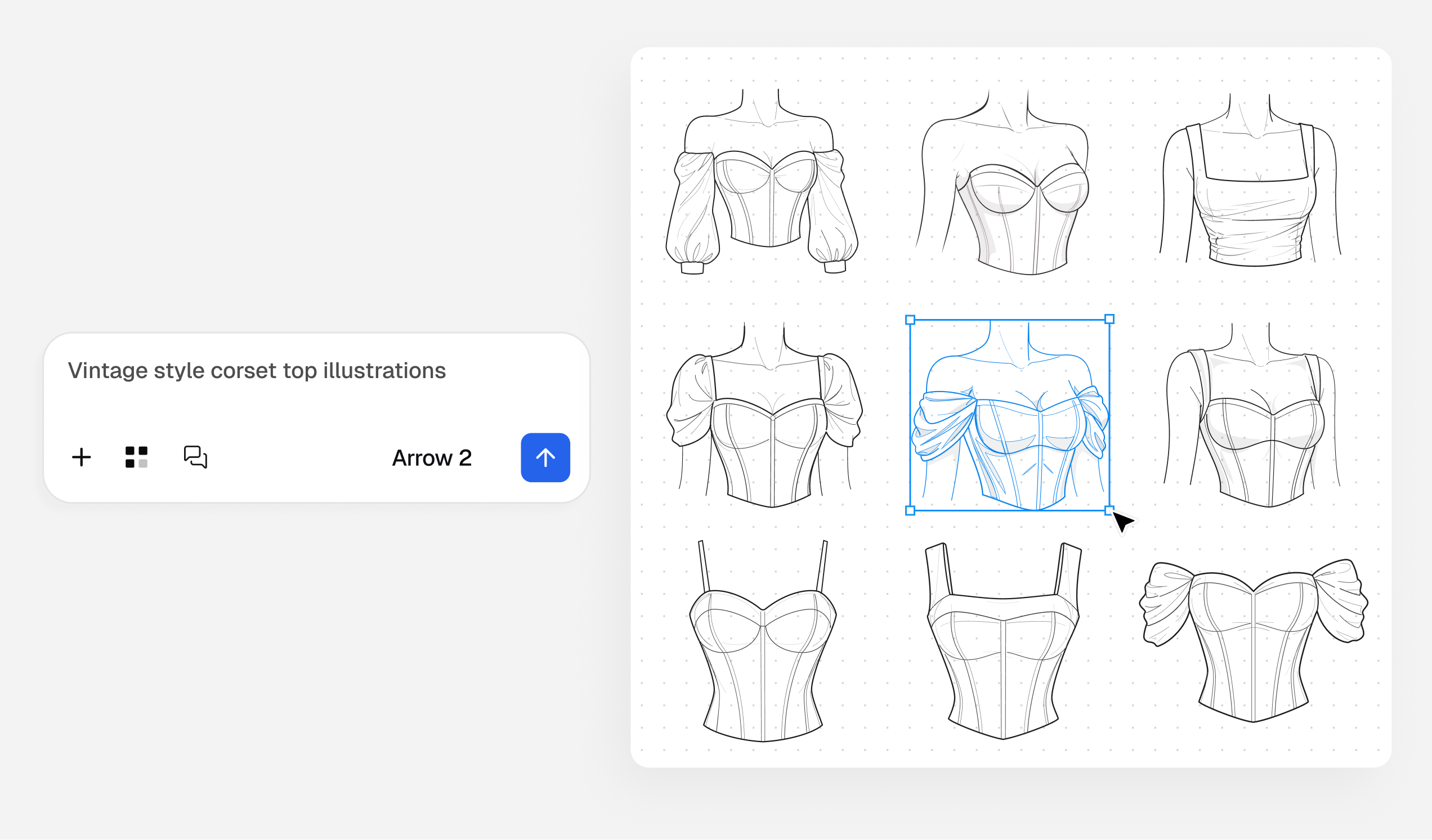
The same approach works across a collection. These corset tops explore necklines, panel shapes, and decorative details while keeping a shared visual direction. Each option is a starting point for selection and editing.
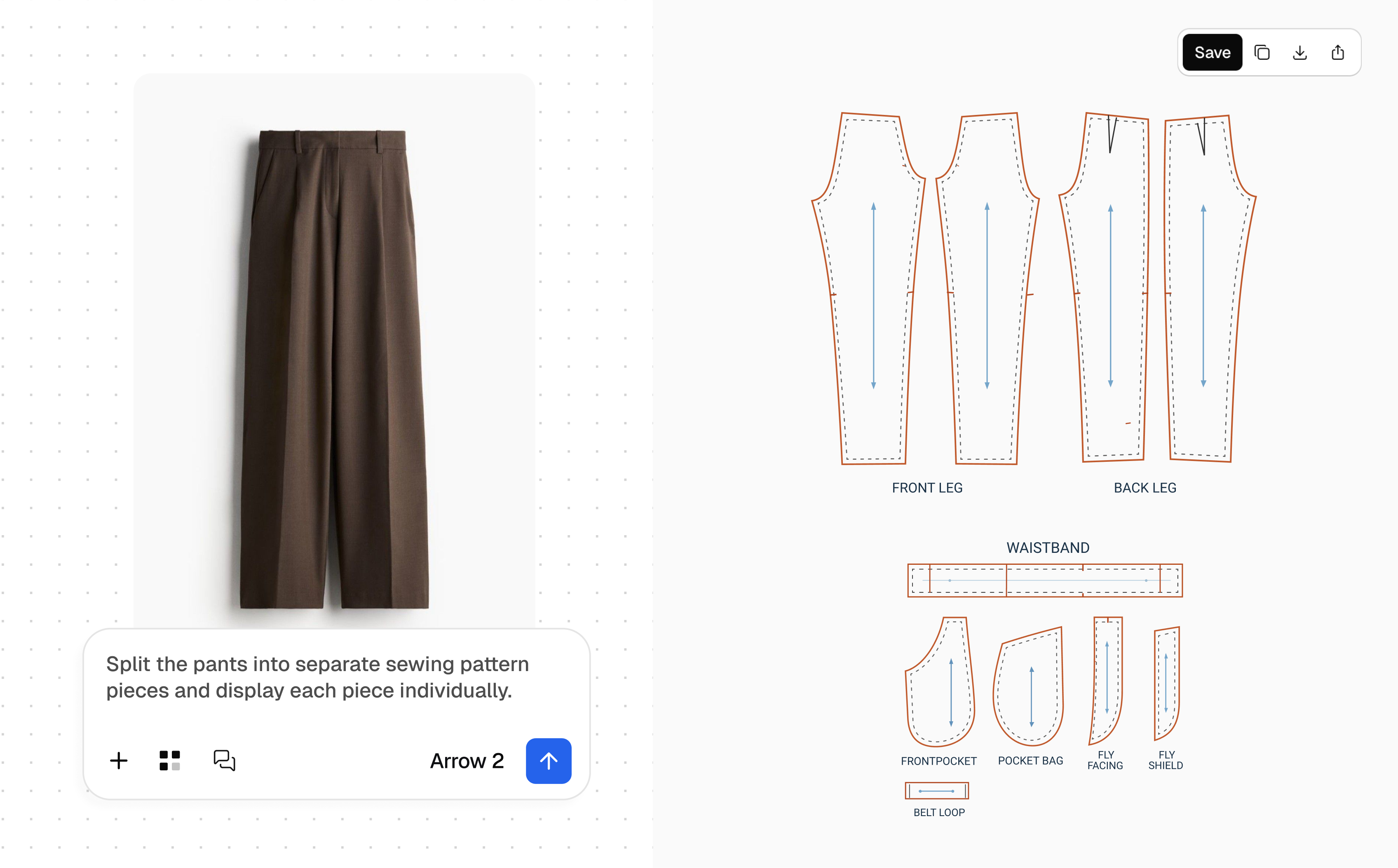
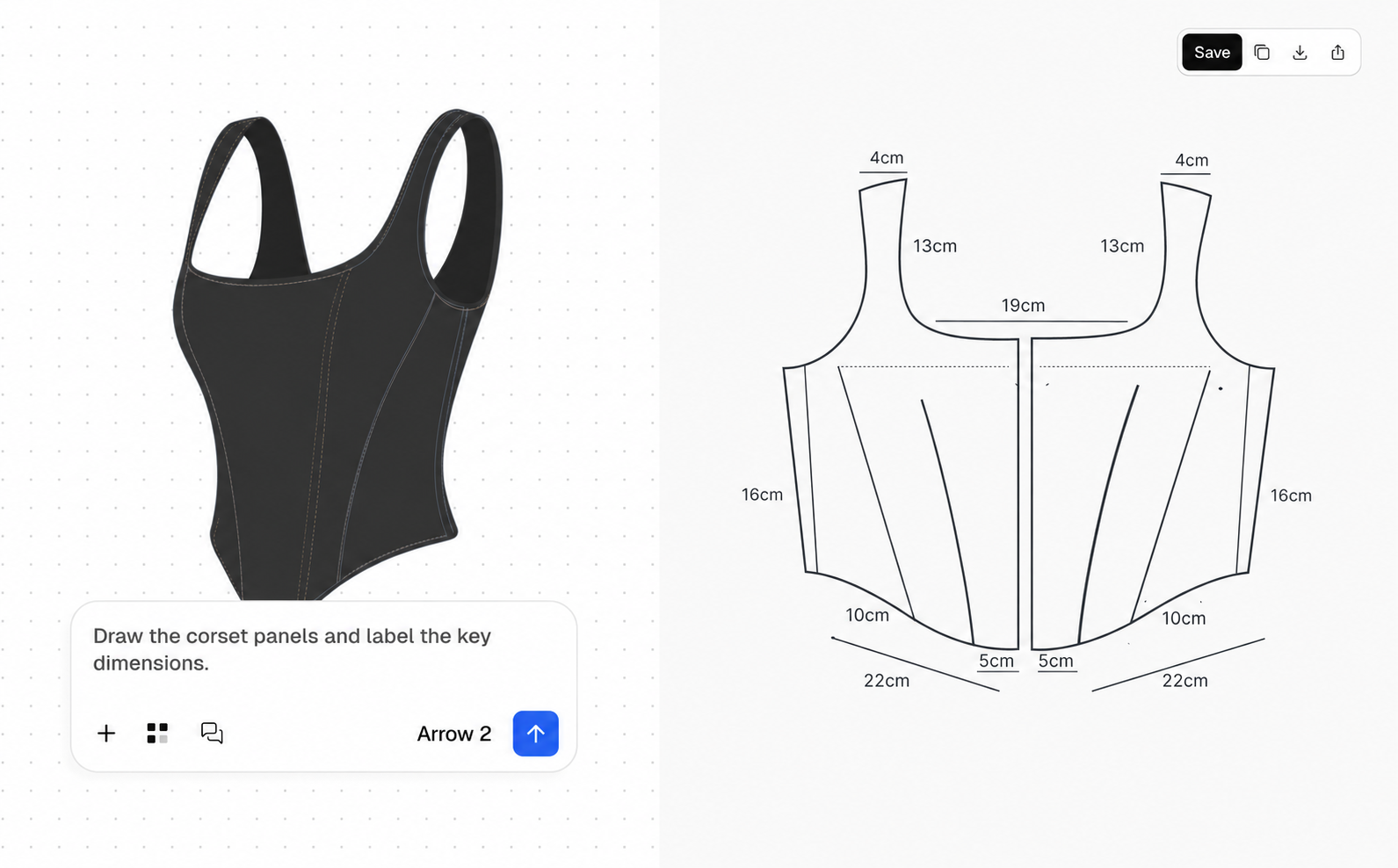
Later, a vector drawing can help a team discuss panels and proportions. These skirt, trouser, and corset images are pattern-like concept diagrams. Their pieces and measurements need checking through patternmaking and fitting before anyone cuts fabric.
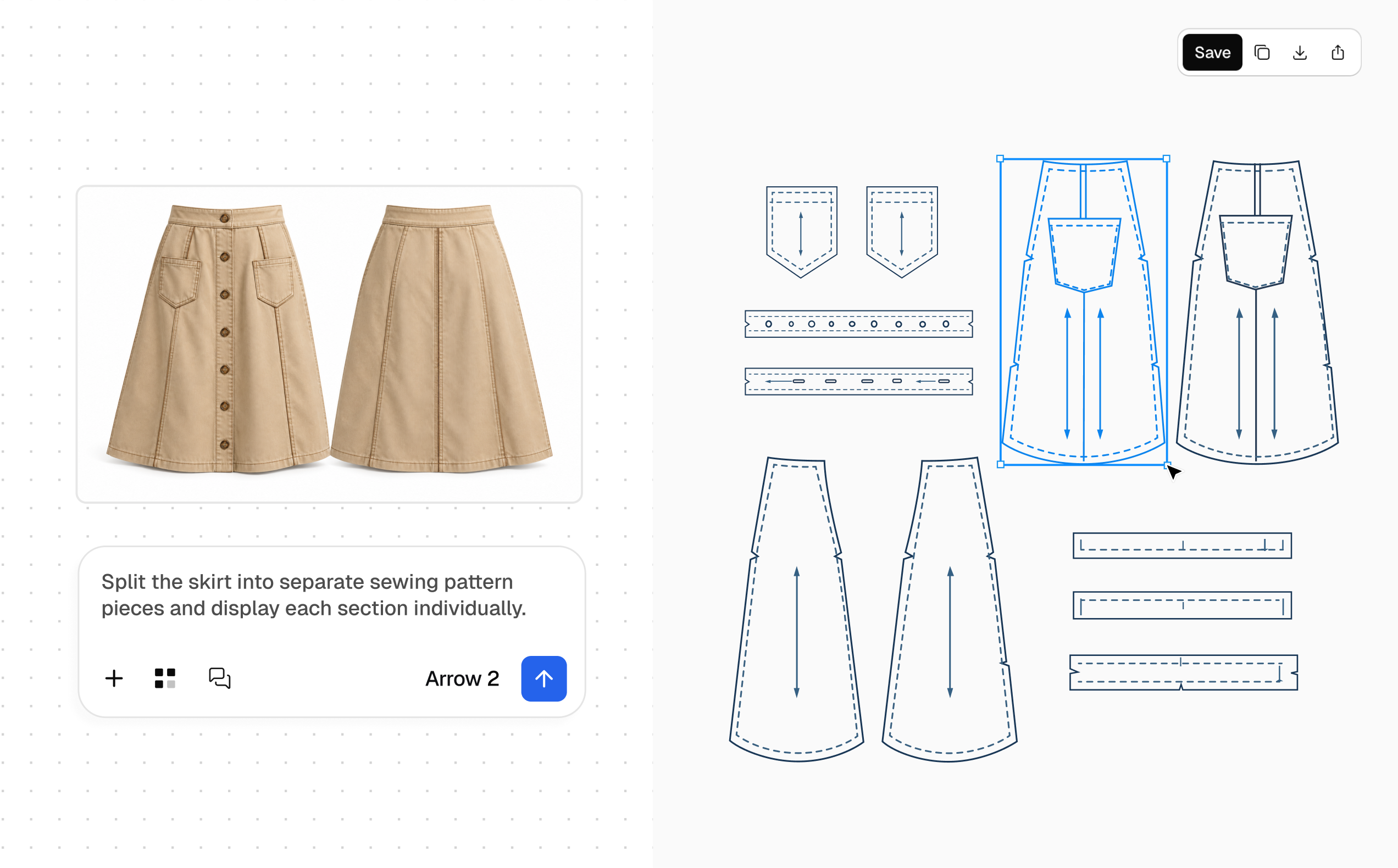
The skirt study places a garment reference beside proposed panels and pocket pieces, giving reviewers a shared picture for the next construction conversation.
The trouser study brings the proposed seams and grainlines into view alongside its separated pieces.
On the corset, dimension labels give the team specific proportions to review.
The editable sketch can then travel into team review and a tech pack alongside construction callouts, materials, and verified measurements. Arrow 2 helps turn the first drawing into lines a designer can revise. The finished garment still depends on the decisions and technical checks that follow.